SASSA Change Phone Number In 2025
Did you lose your phone? Changed your number? Using someone else’s phone for your SASSA application? These situations happen every day. But don’t worry. Changing your SASSA phone number is simple when you know the right steps.
Your phone number is crucial for receiving SASSA messages. You get payment notifications through SMS. You receive important updates about your grant. Without the correct number, you might miss critical information.
SASSA now requires biometric verification for number changes. This new security measure protects your grant from fraud. While it adds an extra step, it ensures only you can update your details.
Let’s walk through everything you need to know about changing your SASSA phone number in 2025.
Why You Might Need to Change Your Number
There are several reasons to update your phone number with SASSA:
Lost or stolen phone: If someone took your phone, update your number immediately. This protects your personal information and grant details.
New SIM card: Switching to a different mobile network means getting a new number. SASSA must have your current contact details.
Wrong number entered: Maybe you made a mistake during application. Perhaps SASSA recorded it incorrectly. Either way, fix it as soon as possible.
Using someone else’s number: Many people use a friend’s or family member’s number when applying. If you no longer have access to that number, update to your own.
Privacy concerns: If you’re receiving SASSA OTPs without requesting them, someone might be trying to access your account. Change your number to secure your grant.
Verification problems: Not receiving OTP messages? A new number might solve this issue.
The New Biometric Verification System
SASSA introduced biometric verification in 2025. This system makes number changes more secure. You must verify your identity through facial recognition.
The process checks your face against Department of Home Affairs records. This ensures the person changing the number is actually you. While this takes extra time, it protects your grant from scammers.
Important: The biometric system is now compulsory. You cannot skip this step. If you refuse verification, your number change will not be processed.
How to Change Your SRD Phone Number Online
The easiest way to update your number is through the official SASSA website. Here’s the complete process:
Step 1: Visit the Update Page
Go to the SASSA mobile number update page: https://srd.sassa.gov.za/sc19/mobile-number-update
Open this link on your smartphone or computer. Make sure you have good internet connection.
Step 2: Enter Your Information
You will see two fields on the page:
- Type your 13-digit South African ID number
- Select why you need to change your number
The reasons include:
- Lost phone
- Used third party phone
- New phone
- Captured number wrong
Choose the option that matches your situation.
Step 3: Start Identity Verification
A popup window will appear. It asks you to verify your identity. Click the “Verify Identity” button.
The system will request permission to use your camera. Click “Enable camera” to continue.
Step 4: Prepare for Face Scan
You’ll see the “Liveness Validation” page. Read all instructions carefully before starting.
What to do:
- Remove hats, scarves, and glasses
- Make sure hair doesn’t cover your face
- Keep your head completely still
- Ensure your whole face fits in the frame
What NOT to do:
- Don’t talk during scanning
- Don’t move around
- Don’t scan in dark places
- Avoid low lighting areas
Click “Let’s begin” when you’re ready.
Step 5: Complete the Face Scan
Your camera will turn on. You’ll see an oval frame on the screen. Position your face inside this oval.
The screen will flash several times. This is normal. The system is capturing your facial features. Hold very still until the scan completes.
The process takes only a few seconds. Stay patient and don’t move.
Step 6: Wait for Verification
SASSA automatically checks your photo against Department of Home Affairs records. This happens in real-time.
If your face matches their records, verification succeeds. If it doesn’t match, you’ll see an error message.
Step 7: Enter Your New Number
After successful verification, a new page opens. Here you enter your new phone number.
Type your new mobile number carefully. Double-check every digit. Mistakes will cause problems later.
Step 8: Confirm with OTP
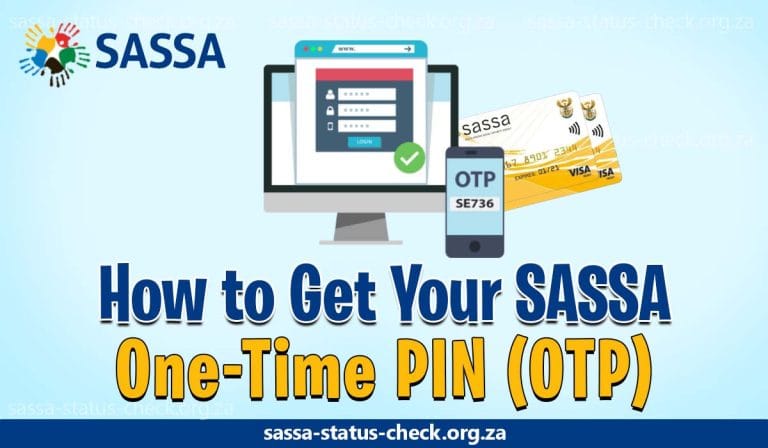
SASSA sends an OTP (One-Time PIN) to your new number. Check your messages. Enter this OTP on the website.
Once you submit the correct OTP, your number change is complete. SASSA will use this new number for all future communication.
What If Verification Fails?
Sometimes the biometric scan doesn’t work. You might see this message: “Verification Unsuccessful. The photo provided does not match the records at the Department of Home Affairs.”
This happens for several reasons:
- Your DHA photo is outdated
- Poor lighting during the scan
- You moved during facial recognition
- Your appearance changed significantly
How to fix this:
Visit your nearest Department of Home Affairs office. Ask them to update your photo and records. Bring your ID document with you.
Once DHA updates your information, return to the SASSA website. Start the phone number change process again. The verification should work this time.
Changing Your Number by Phone
Don’t have internet access? You can call SASSA directly.
Call the SASSA helpline: 0800 60 10 11 (toll-free)
When someone answers:
- Say you want to change your SRD grant phone number
- Provide your 13-digit ID number
- Give the phone number you originally registered with
- Answer security questions to prove your identity
- Provide your new phone number
The agent will process your request. Changes take a few days to complete. Watch your phone for confirmation messages.
Tip: Call early in the morning for shorter wait times.
Changing Your Number at SASSA Office
Prefer face-to-face service? Visit your nearest SASSA office.
What to bring:
- Your South African ID document
- Your old phone number (write it down)
- Your new phone number
What to do:
- Find your nearest SASSA office
- Go during office hours (Monday-Friday, 8:00 AM – 4:00 PM)
- Tell staff you need to change your phone number
- Complete the form they provide
- Submit your ID for verification
Staff will update your number in the system. They might also help with the biometric verification if needed.
Changing Number for Other SASSA Grants
The process above works for SRD R370 grants. Other grants use a different system.
For old age pension, disability grant, child support grant, or other grants:
- Visit the SASSA Services Portal: https://services.sassa.gov.za/portal
- Log into your account
- Go to “Manage My Personal Information”
- Click “Update Contact Details”
- Enter your new phone number
- You’ll receive an OTP on your OLD number
- Enter this OTP to confirm the change
- Save your new information
Your number updates immediately after confirmation.
Important Things to Remember
Processing takes time: Allow up to 2 weeks for SASSA to update your phone number completely.
One request per day: SASSA only accepts one number change request per day per person. Don’t submit multiple times.
No application ID needed: The new system doesn’t require your application ID. Just your ID number.
Biometric is mandatory: You cannot skip the face scan. It’s required for all SRD grant number changes.
Check your number: After updating, verify the change worked. Check your status on the SASSA website to see if the new number appears.
Keep your ID current: Make sure your Department of Home Affairs records are up to date. Old photos cause verification failures.
Protect your information: Never share your OTP with anyone. SASSA staff will never ask for it.
Common Problems and Solutions
Problem: Camera won’t work during verification.
Solution: Check your browser permissions. Allow camera access. Try a different browser if problems continue.
Problem: Face scan keeps failing.
Solution: Improve your lighting. Remove anything covering your face. Hold your head completely still. If it still fails, visit DHA to update your photo.
Problem: Not receiving OTP on new number.
Solution: Check if the number is correct. Make sure you have network signal. Wait a few minutes, as messages can be delayed.
Problem: System says you already requested a change today.
Solution: Wait until tomorrow. SASSA limits requests to one per day.
Tips for Successful Number Changes
Use a smartphone with a good camera for biometric verification. Poor camera quality causes scan failures.
Complete the process in good lighting. Natural daylight works best. Avoid scanning at night or in dark rooms.
Have stable internet connection. Slow internet can interrupt the verification process.
Keep your face neutral. Don’t smile, frown, or make expressions during scanning.
Be patient. The system needs time to process each step.
Final Thoughts
Changing your SASSA phone number is simple once you understand the process. The biometric verification adds security to protect your grant. While it requires extra steps, it ensures your money stays safe.
Don’t delay if you need to update your number. Missing SASSA messages means missing important payment information. Follow the steps in this guide. Take your time with each stage.
If you encounter problems, contact SASSA directly. Their staff can help troubleshoot issues. You can also visit an office for in-person assistance.
Keep your contact information current. This ensures you receive all SASSA communications. It helps you stay informed about your grant status and payment dates.
SASSA Contact Information:
- Toll-free helpline: 0800 60 10 11
- Email: [email protected]
- Operating hours: Monday to Friday, 8:00 AM to 4:00 PM
Remember, your phone number is your connection to SASSA. Keep it updated. Keep it secure. And never share your personal information with unauthorized people.